
Do you remember that computer we used to leave running to earn Jingdou? JD Cloud Arthur AX1800 PRO Right?
I used to have high hopes for it, too—spending a few cents a day running PCDN, thinking I could “make a comeback” with it. But now… the returns are so low it’s almost a joke. But you know what? Its hardware is actuallyNot even a bit off!


???? Repurposing Old Hardware: Flash iStoreOS and Instantly Turn It into a High-Performance Router!
- Qualcomm IPQ6000 Quad-Core 64-Bit Processor
- 14nm process + 1.5GHz NPU
- 512 MB of memory
- All Gigabit Ethernet ports
- The stock system locks certain features? What a shame!
I flashed iStoreOS onto it, and instantly it became a software router, a bypass router, a plugin hub, and a tool for accessing blocked websites—it does it all!Resources aren't wasted—that's when performance truly shines.。
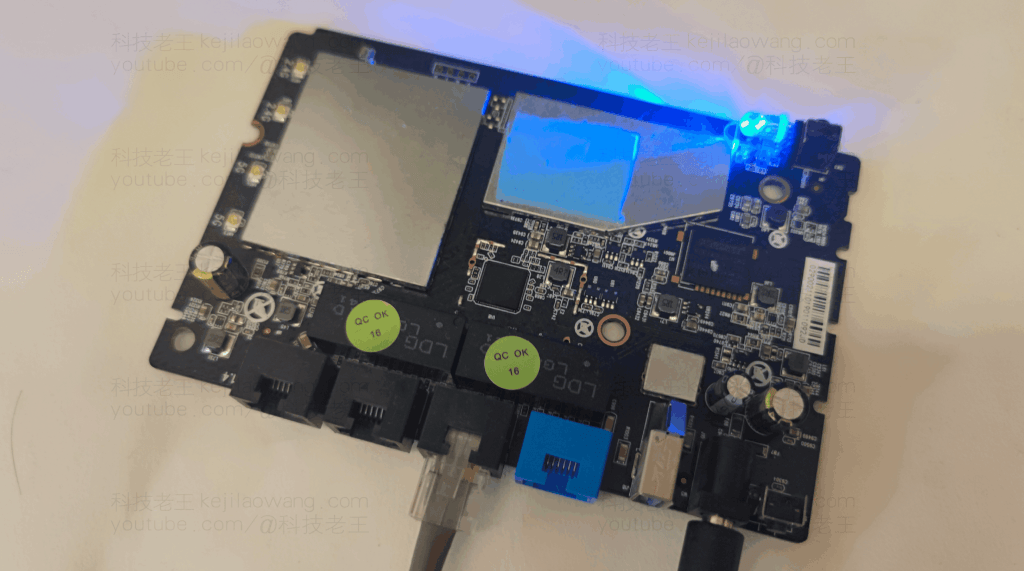
???? What did I do?
???? Teardown + TTL Flash the New Version of U-Boot
???? Upgrading iStoreOS Using the Web-Based Flashing Method
???? Completely migrate the overlay partition to the high-capacity eMMC,Solve your storage space problem once and for all!
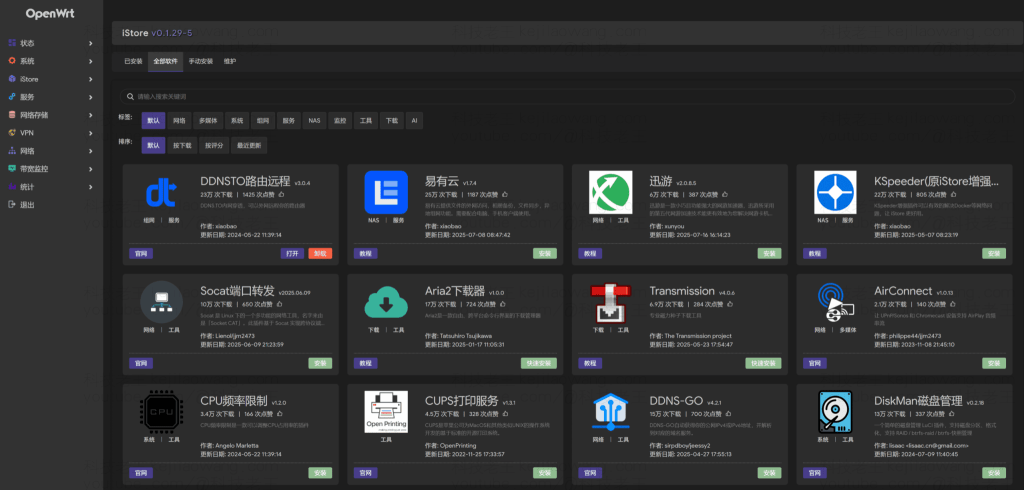
???? I’ve compiled the complete tutorial series and download links:
???? Click here for a detailed illustrated tutorial >>
???? Complete Guide to Flashing iStoreOS and Expanding Storage on the JD Cloud AX1800 PRO (Click here to go to the guide)
???? Or click here to watch the YouTube tutorial >>
???? Video Demo: From Teardown to Memory Upgrade—Every Step Covered
Related Reading:
Things You Must Check Before Flashing the Firmware
The AX1800 Pro comes in different batches with varying flash layouts; the firmware, U-Boot, and partitioning commands in this tutorial must match your specific model. First, back up the factory partitions, MAC address, and calibration data, and prepare a TTL serial port tool and a recoverable environment. Incorrectly writing to the boot partition may cause the device to fail to boot.
Why migrate the overlay to eMMC?
iStoreOS plugins, logs, and configurations are typically written to the Overlay partition. If the original partition is too small, this can lead to failed installations, failed updates, or insufficient storage space. Migrating to a larger eMMC area can increase available write space, but it will not improve CPU or memory performance. Before proceeding, you should back up your configuration and verify the target partition to avoid overwriting critical system areas.
As the primary route or an alternate route?
| Pattern | Advantages | Important Notes |
|---|---|---|
| Main Router | Simple topology; unified DHCP and DNS | A failed firmware update can affect the network throughout the house. |
| Bypass Routing | Keep the original main route; this approach carries a lower risk. | Avoid dual DHCP, as well as confusion regarding gateway and DNS configurations. |
| AP/Lightweight Services | Low load, suitable for reusing older equipment | Features and wireless drivers depend on firmware support |
Post-Brushing Checklist
- Verify that the WAN/LAN, wireless, and hardware acceleration are functioning properly.
- Change the default administrator password and disable any unnecessary public-facing management interfaces.
- Check the actual available space on the overlay and the mount status after a reboot.
- Export a recoverable configuration backup.
Original article by Tech.laowang. If you wish to repost this article, please credit the source: https://techlaowang.com/en/jdcloud-emmc-openwrt-istoreos/

